

Access Credentials

QR or PIN Code Visitor Passes, Bluetooth, Access Cards & Fobs

One Platform. Multiple Ways to Access a Property.

Our Access Credentials give properties the flexibility to provide the right type of access for every user and situation—from residents and employees who enter every day to visitors, vendors and service providers who may only need temporary access.

Choose from QR or PIN Code Visitor Passes, Bluetooth contactless entry, or access cards and fobs—all designed to make property access more secure, convenient and easier to manage.

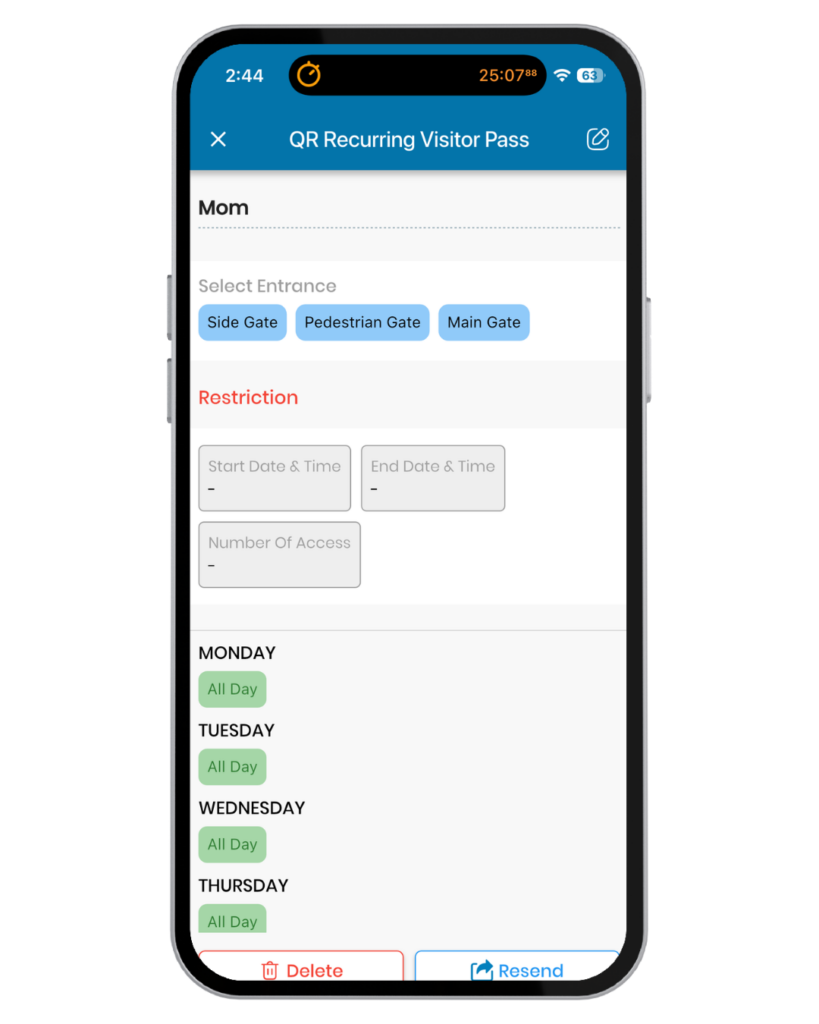
Administrators can customize access by entry point, day, time and number of uses, helping ensure every user has access where and when they need it.

Our lineup of Access Credentials include:

visitor access

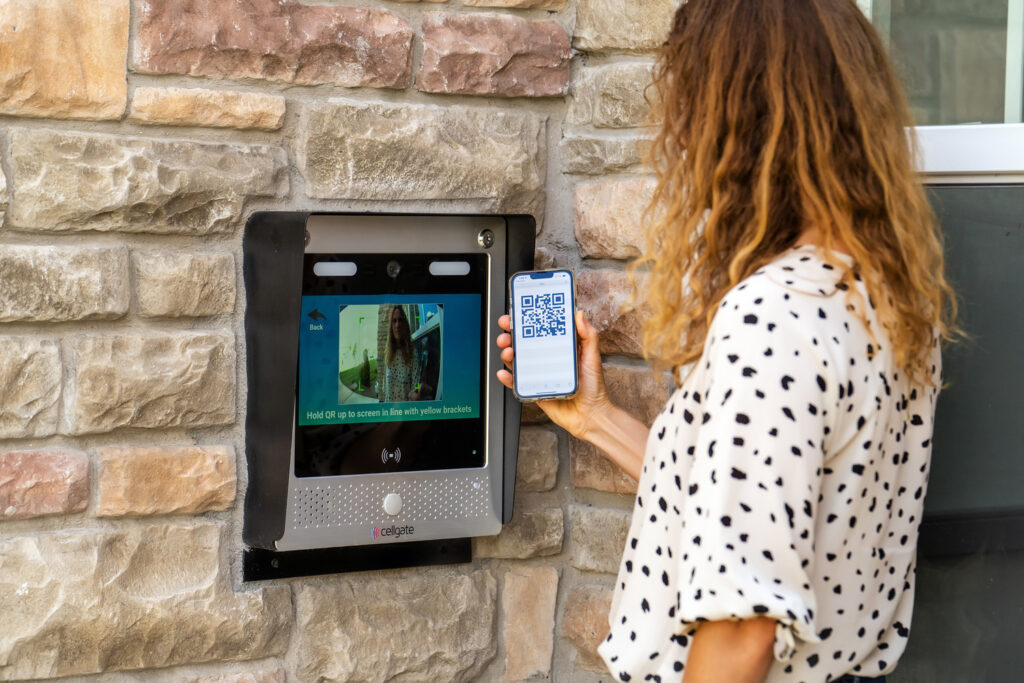
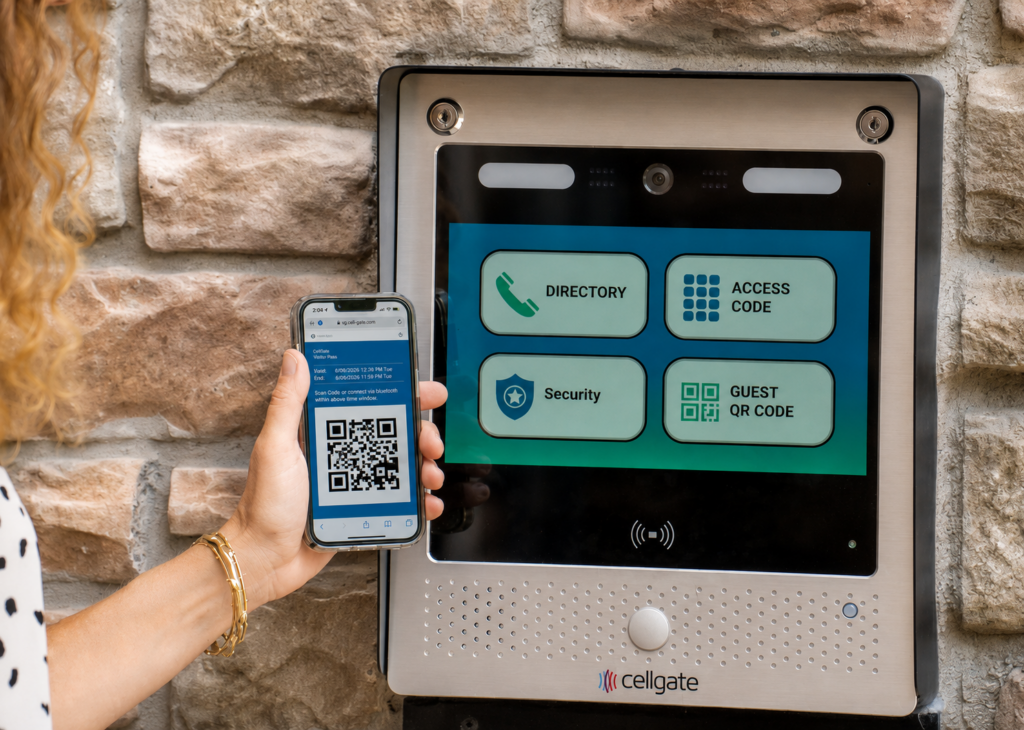
QR Code Visitor Pass

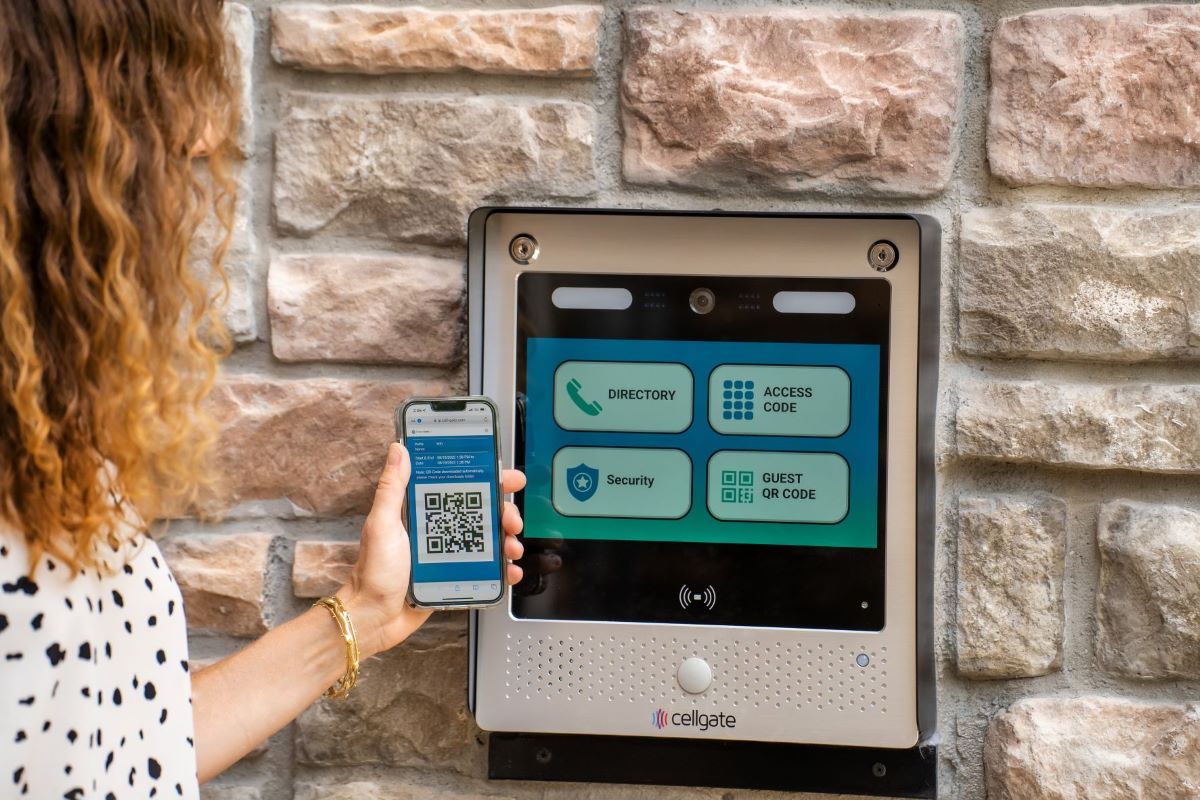
Send a scannable code to a visitor’s phone

PIN Code Visitor Pass

Simple numeric codes for quick, secure entry.

residents & employees

Bluetooth Access

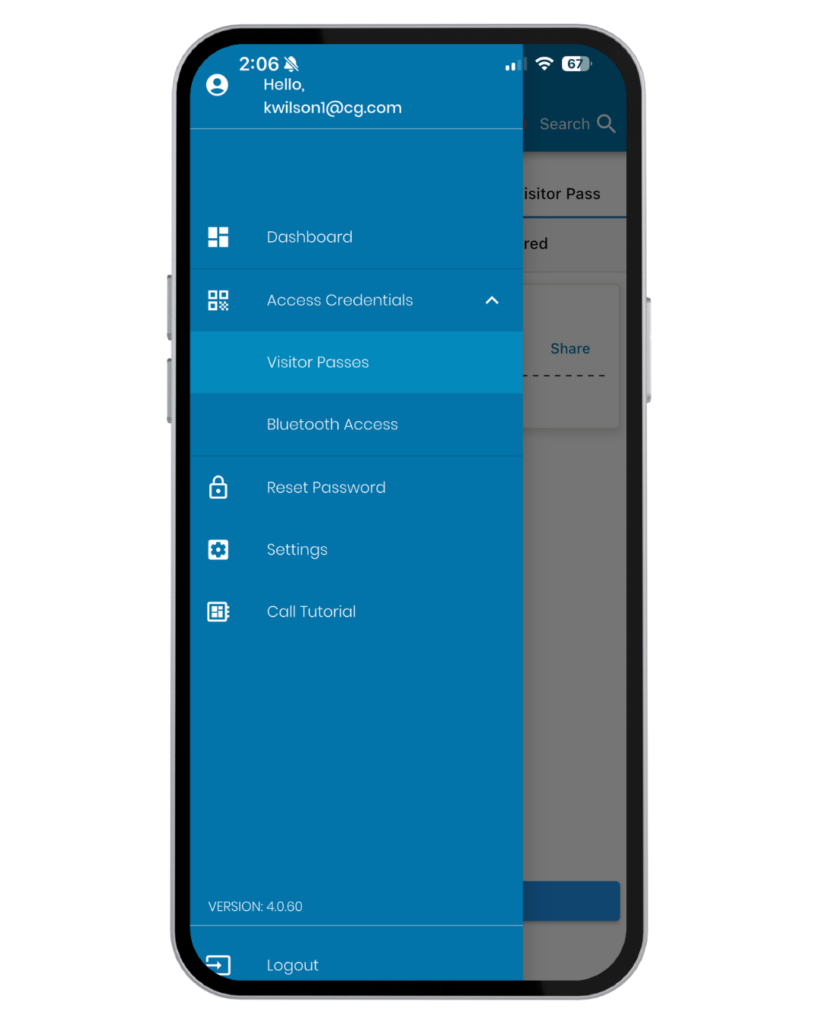
Use the CellGate app for contactless entry

Access Cards & Fobs

Available in encrypted DESFire HV3 or in HID

Why Multiple Access Credential Types Matter

Flexibility for Every User

Every property has a diverse mix of residents, employees, visitors, vendors, and service providers—each with unique access requirements.

CellGate allows administrators to assign the most appropriate credential for each user while managing all credential types from a single platform.

The result is greater flexibility, stronger security, and a better access experience across the property.

Managed via TrueCloud Connect™

All CellGate access credentials—including QR or PIN Code Visitor Passes, Bluetooth credentials, access cards and fobs—are managed through TrueCloud Connect, providing cloud-based, centralized control of property access from anywhere.

TrueCloud Connect Allows You to:
  • Assign and update credentials from anywhere

    Assign and update credentials from anywhere

  • Instantly issue or revoke access when needed

    Instantly issue or revoke access when needed

  • Restrict access by specific user, day and time

    Restrict access by specific user, day and time

  • Restrict access by groups and zones

    Restrict access by groups and zones

  • View activity logs and audit trails of activity

    View activity logs and audit trails of activity

  • Manage multiple properties from a single login

    Manage multiple properties from a single login

Visitor Access – QR Code or PIN Code Visitor Passes

Manage visitor access with digital options for guests, deliveries, contractors, dog walkers, housekeepers & vendors

Supported Products

Smart phone-based access with built-in security
  • Eliminates the cost & hassle of managing physical keys or fobs

    Eliminates the cost & hassle of managing physical keys or fobs

  • Issue passes from anywhere— no on-site staff required

    Issue passes from anywhere— no on-site staff required

  • Visitors simply open their QR Code Visitor Pass on their smartphone and scan it at designated entry points

    Visitors simply open their QR Code Visitor Pass on their smartphone and scan it at designated entry points

  • Recurring QR Codes automatically refresh after each use to prevent screenshot sharing and enhance security. Recurring passes can be saved to a phone's wallet or calendar; Temporary passes can be added to the calendar only

    Recurring QR Codes automatically refresh after each use to prevent screenshot sharing and enhance security. Recurring passes can be saved to a phone's wallet or calendar; Temporary passes can be added to the calendar only

Supported Products

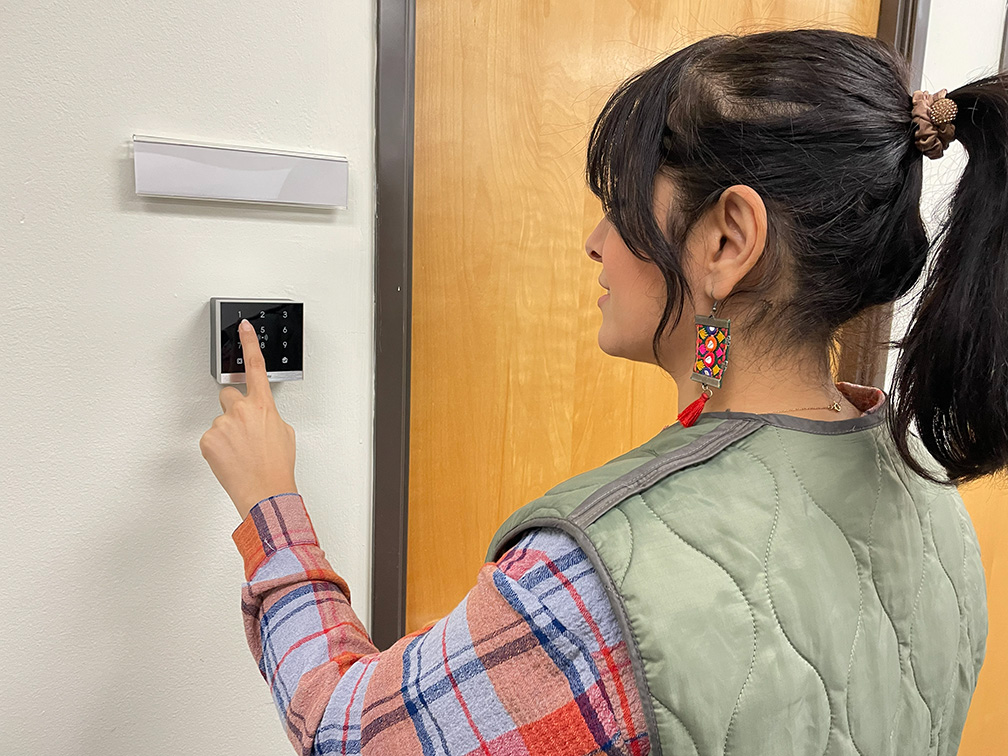
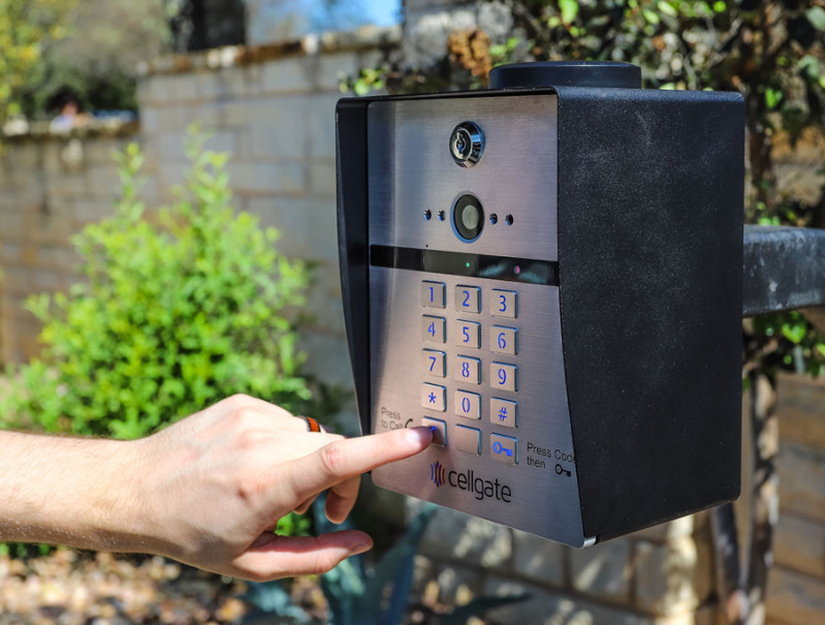
Simple keypad entry without the need for a smartphone, key or fob

  • Visitors simply enter the PIN Code they received via text or email at designated entry point(s) to gain access

    Visitors simply enter the PIN Code they received via text or email at designated entry point(s) to gain access

  • Administrators control who can issue PIN Code Visitor Passes,  which types, and the entry points where they can be used

    Administrators control who can issue PIN Code Visitor Passes, which types, and the entry points where they can be used

  • PIN Codes are a reliable backup option to QR Codes: because they are 				  stored at the device level, they provide access even if cellular or internet connectivity is temporarily unavailable

    PIN Codes are a reliable backup option to QR Codes: because they are stored at the device level, they provide access even if cellular or internet connectivity is temporarily unavailable

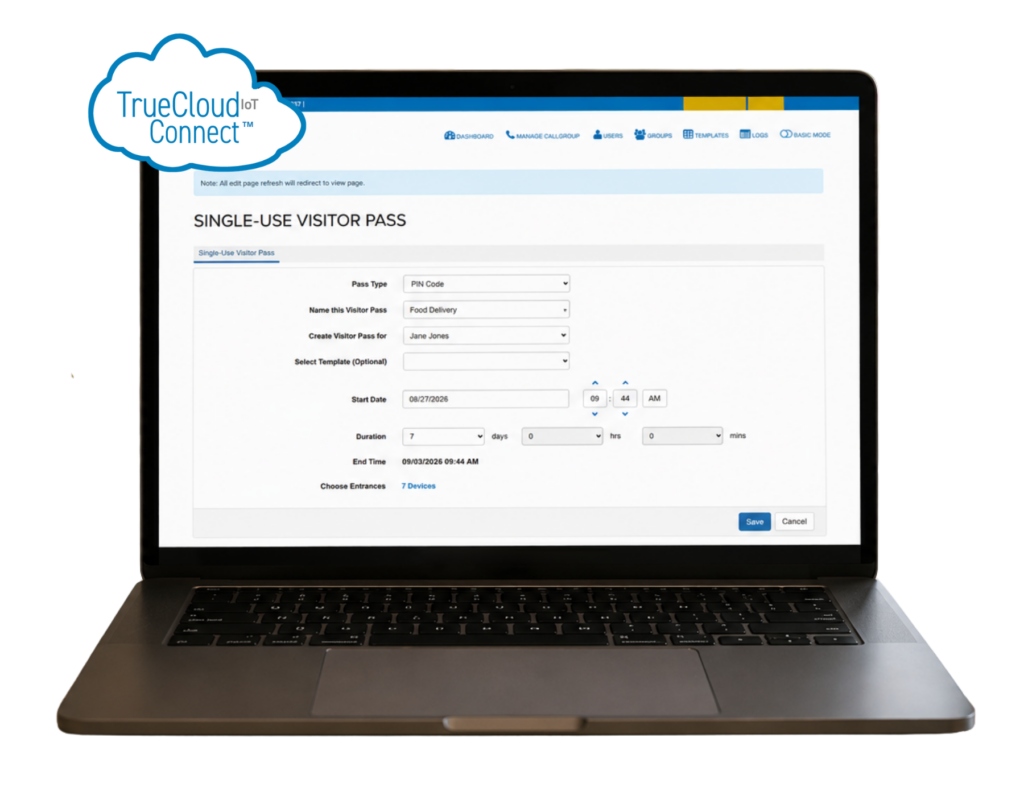
  • Issue, edit or revoke PIN Code Visitor passes from anywhere via TrueCloud 		  Connect™ or the CellGate app — no on-site staff required

    Issue, edit or revoke PIN Code Visitor passes from anywhere via TrueCloud Connect™ or the CellGate app — no on-site staff required

How to Send, Issue & Manage QR or PIN Code Visitor Passes

Step One
Step Two
Step Three

Choose Visitor Pass Type

QR Code

QR Code

QR Codes enable fast digital entry for visitors using their smart phone.
PIN Code

PIN Code

PIN Codes provide instant, reliable access without needing a smart phone in hand.

Set Desired Access Type

Recurring

Recurring

Allow repeat entry on an ongoing schedule.

Temporary

Temporary

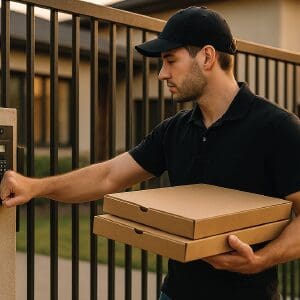
Group access for parties, events, etc. Valid for 1-hour to 7 days.
Single-Use

Single-Use

Permit a single, secure, auditable entry.
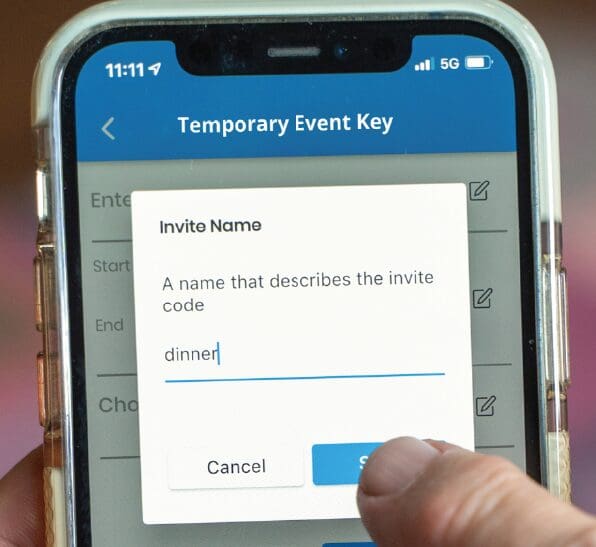
Sending Visitor Passes

Issue

Issue

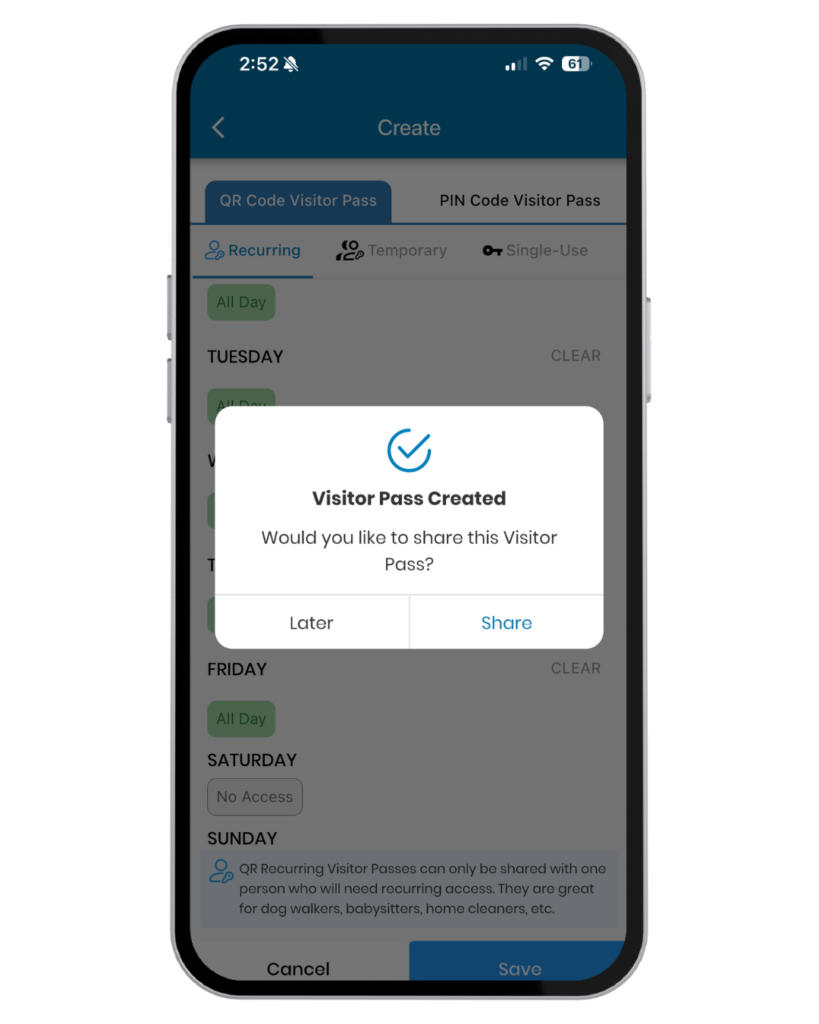
Create QR or PIN Code Visitor Passes in TrueCloud Connect™ or the CellGate app.
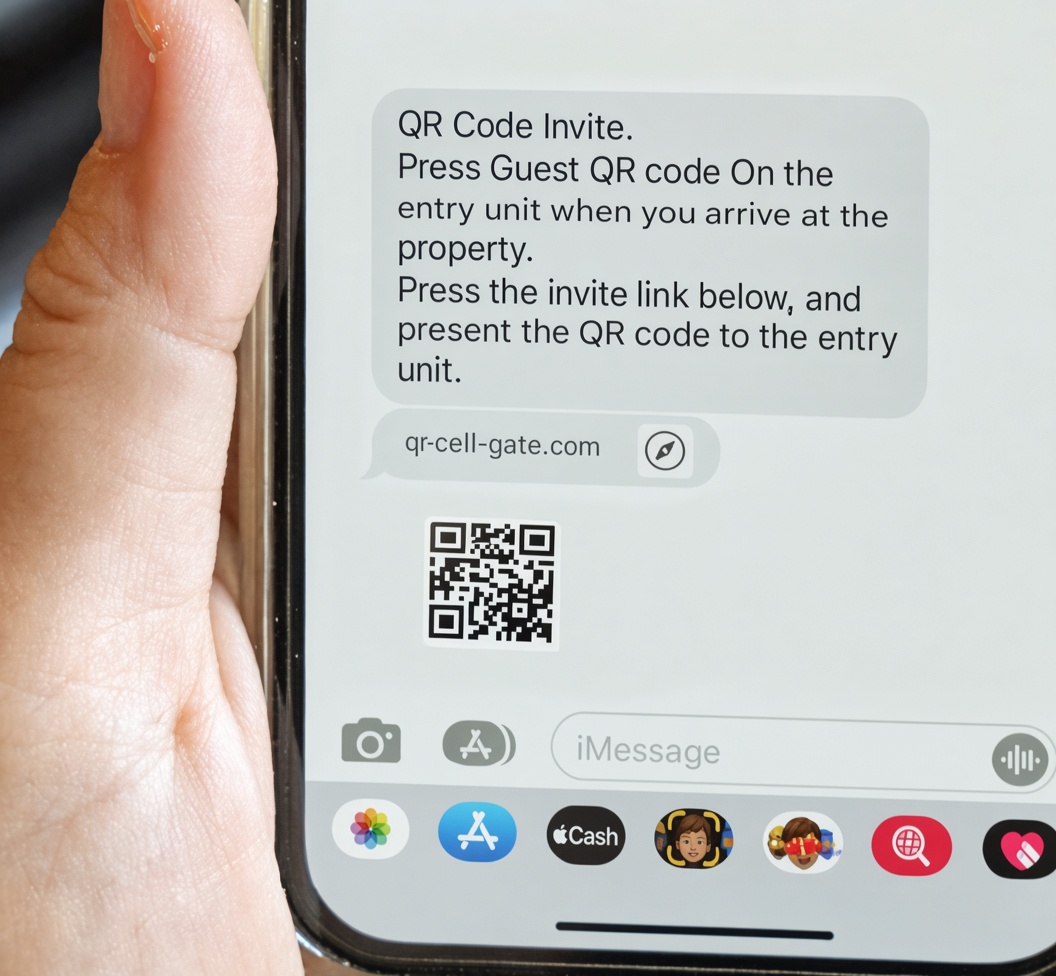
Send

Send

Send Visitor Passes to your visitors instantly via SMS/text.

Manage

Manage

Grant or revoke access on demand; all Visitor Pass activity is logged.
Residents and Employees

Highly secure physical credentials + modern contactless entry

Supported Products

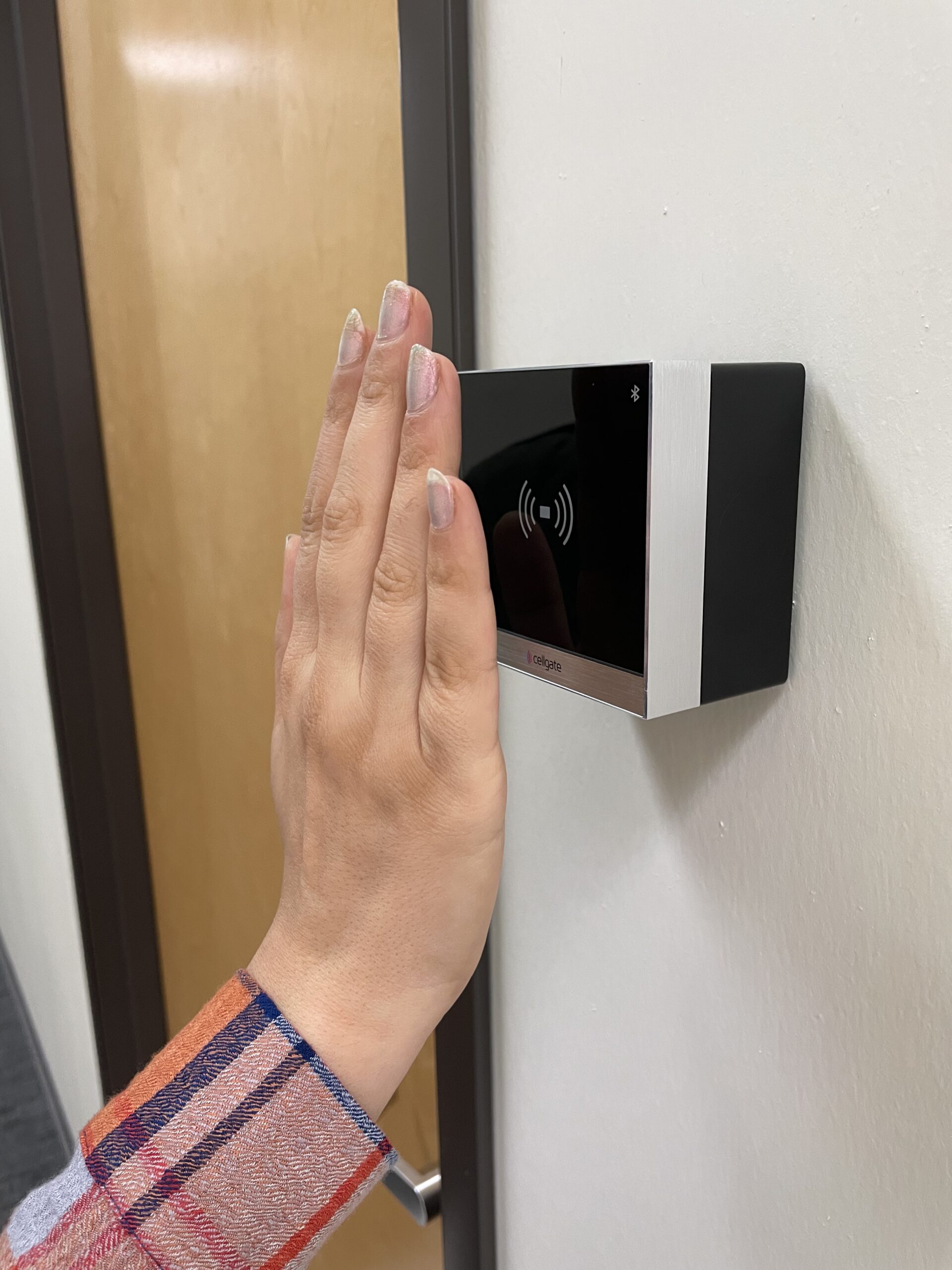
Integrate Bluetooth contactless entry with any Watchman model with the addition of a bracketed Infinity or Halo reader.

Bluetooth-Enabled Resident/Employee Access Credentials reside in the CellGate app
  • Integrate Bluetooth Contactless Entry with Watchman with the addition of CG Infinity or Halo Readers.

    Integrate Bluetooth Contactless Entry with Watchman with the addition of CG Infinity or Halo Readers.

  • Just wave your hand at the reader; no need to open the app or take your phone out of a pocket or bag

    Just wave your hand at the reader; no need to open the app or take your phone out of a pocket or bag

  • Works with compatible CellGate readers and Entría™ Single Door Controllers.

    Works with compatible CellGate readers and Entría™ Single Door Controllers.

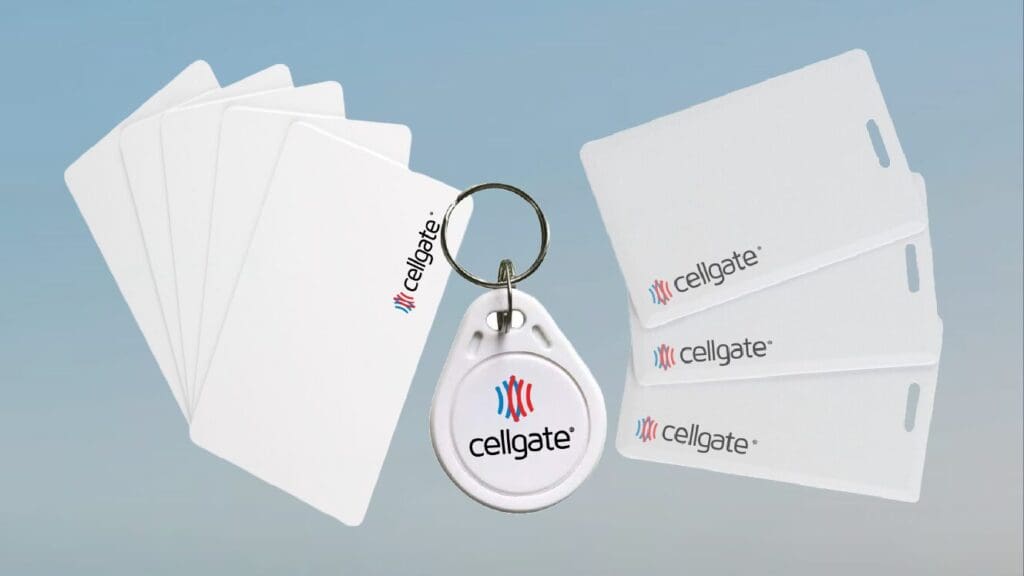
Three types of CellGate physical credentials including access cards, key fob, and clamshell cards

Supported Products

  • Watchman W410
    Integrate DesFire® EV3 or HID access cards & fobs with a W410 by adding a bracket-mounted CG Reader
  • Watchman W450
    Integrate DesFire® EV3 or HID access cards & fobs with a W450 by adding a bracket-mounted CG Reader
  • Watchman W461
    The W461 works with all HID access cards & fobs
  • Watchman W462
    The W462 works with all HID access cards & fobs
  • Watchman W480
    The W480 works with all HID access cards & fobs, integrate DesFire®️ EV3 access cards & fobs by adding a bracket-mounted CG Reader
  • Watchman W482
    The W482 works with all HID access cards & fobs, integrate DesFire®️ EV3 access cards & fobs by adding a bracket-mounted CG Reader
  • Watchman WXL
    The WXL works with all HID access cards & fobs, integrate DesFire® EV3 access cards & fobs by adding a bracket-mounted CG Reader
  • Watchman WXL2
    The WXL2 works with all HID access cards & fobs, integrate DesFire® EV3 access cards & fobs by adding a bracket-mounted CG Reader
Keychain Fobs, Access Cards & Clamshell Access Cards
  • Available in encrypted DESFire® EV3 or HID

    Available in encrypted DESFire® EV3 or HID

  • Ideal for everyday resident and employee use

    Ideal for everyday resident and employee use

  • No smart phone required

    No smart phone required

  • HID credentials work seamlessly with HID-equipped Watchman W461/W462, W480/W482, and WXL/WXL2 models

    HID credentials work seamlessly with HID-equipped Watchman W461/W462, W480/W482, and WXL/WXL2 models

FAQs

Yes. CellGate supports multiple credential types at the same property, allowing you to use the credential that best fits each type of user.

For residents at multifamily properties and employees at commercial properties, we recommend encrypted access cards and/or fobs, along with Bluetooth access through the CellGate app when entrance readers support Bluetooth.

For guests, visitors and service personnel, we recommend issuing a QR Code or PIN Code Visitor Pass based on the access point and visitor frequency needs.

No, both QR and PIN codes are sent via text or email and do not require the need to download an app.

Yes, you can send it via text or email to the guest’s phone.

First, determine the type of access the vendor or service provider will need — one time, temporary (between 1-hour and 7 days) or recurring.

Then determine whether a QR Code or PIN Code is preferred – QR Codes must be presented at the access point on a smart phone, PIN codes do not require a smart phone to enter.

Yes, all of those variables can be limited depending on the Visitor Pass type you choose.

Yes, if you have administrative access to a property, you can log in to TrueCloud Connect from any internet connection and disable someone’s access instantly. In addition, the issuer of a Visitor Pass can revoke it instantly from the CellGate app as well.

Yes.

Yes. TrueCloud Connect™️ logs every credential use and attempted use, including the date and time, so you can easily review past access activity.